
 Hi, I'm Allan Anova—welcome to my official website. I offer professional web design and development services tailored to both personal and business needs. Want to learn more about me?
  I create all types of websites—from simple one-page sites and standard multi-page websites to more complex projects like full-featured e-commerce platforms. Whatever you need, I’ve got you covered. To learn more about my web design and development services,
  Take a look at some of my current and featured web projects. I’ve worked with a variety of clients across different industries. Each project showcases my skills in design, functionality, and user experience.
So you got a new CPANEL hosting and you want to create a new email account. This tutorial will teach you how to create an eamil account in your CPANEL.
First step is to browse your CPANEL link. It can be www.yourdomain.com/cpanel or www.yourdomain.com:2083

then login using your CPANEL’s username and password. Once you are logged in, you will enter the main CPANEL dashboard
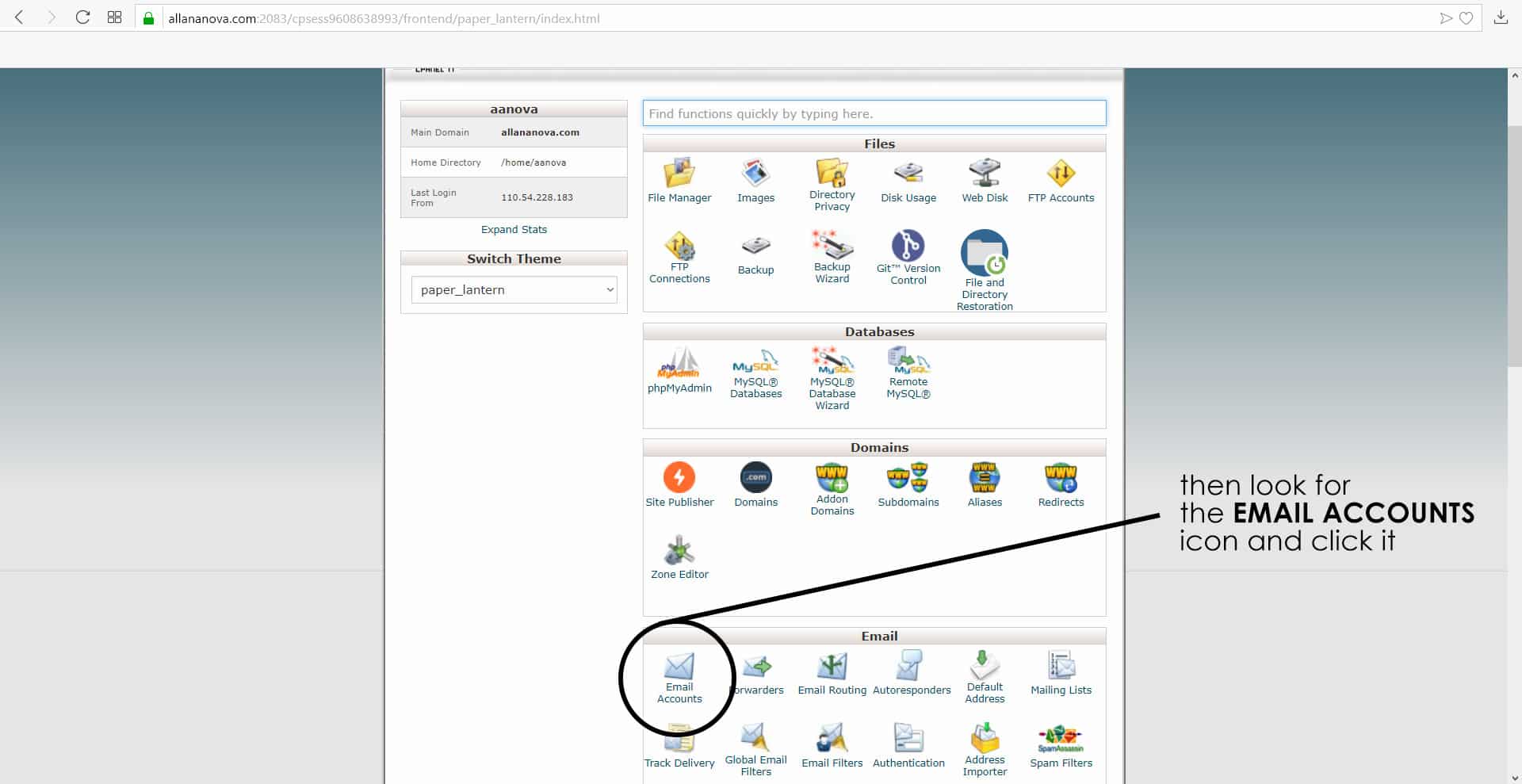
then you have to look or scan for the EMAIL ACCOUNTS link or icon and then click it

In the EMAIL ACCOUNTS page click the ADD NEW TAB so you can start creating your first email account
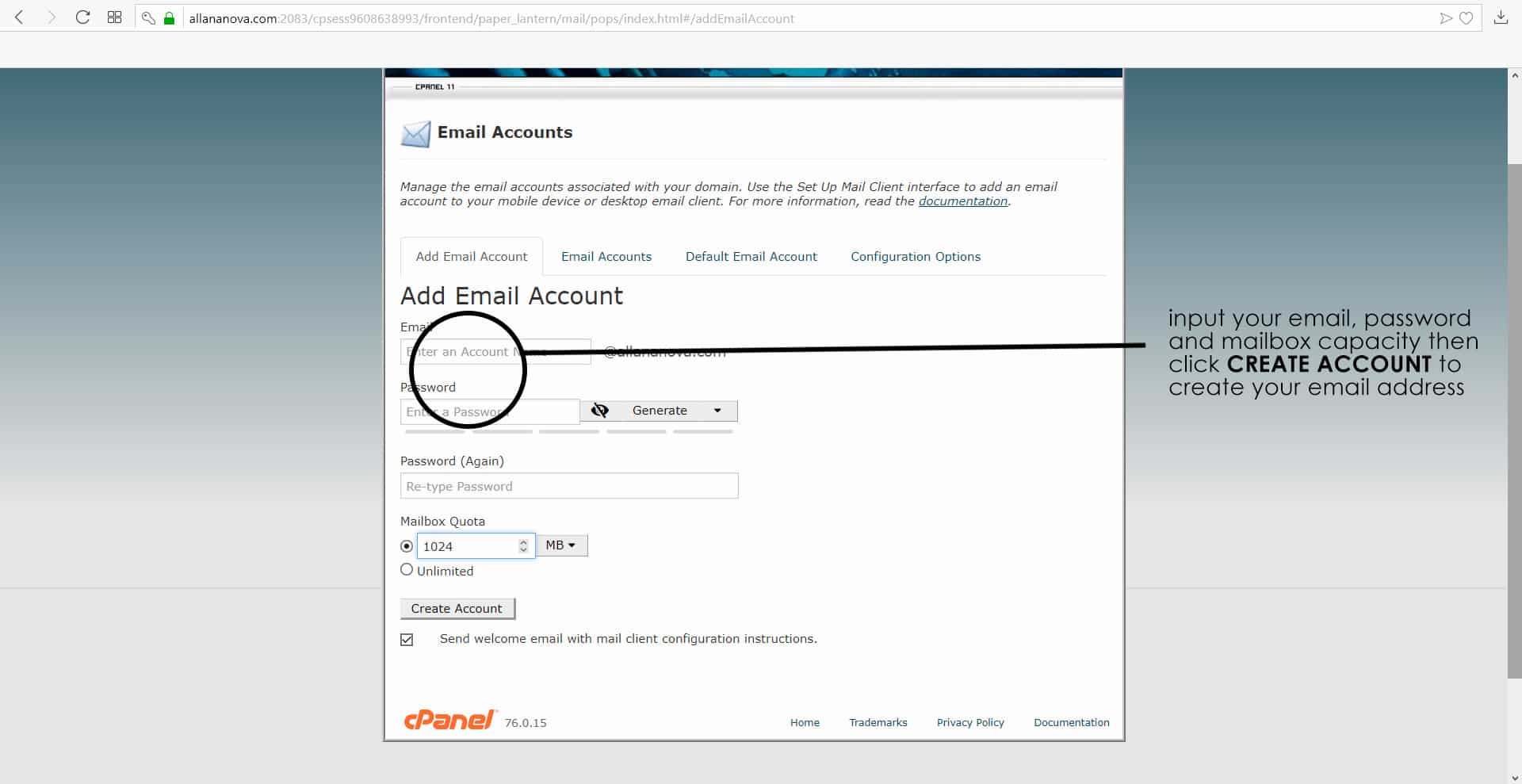
Type your email address, password and mailbox quota or capacity then hit or click CREATE ACCOUNT.
And that’s it! You have successfully created your new email account through CPANEL. Now it’s time to access it using webmail:
NEED MY WEB DESIGN & DEVELOPMENT SERVICES?
Message me now and let me know your requirements. Let me know if you are interested in having your own website / branding or logo design / or if you have any feedback click the button below:
0 Comments